Remove a logo from a photo
Draw a loose box around the logo. It snaps tight and fills in.
No photo handy?
FreeNo sign-upPhotos stay on your device
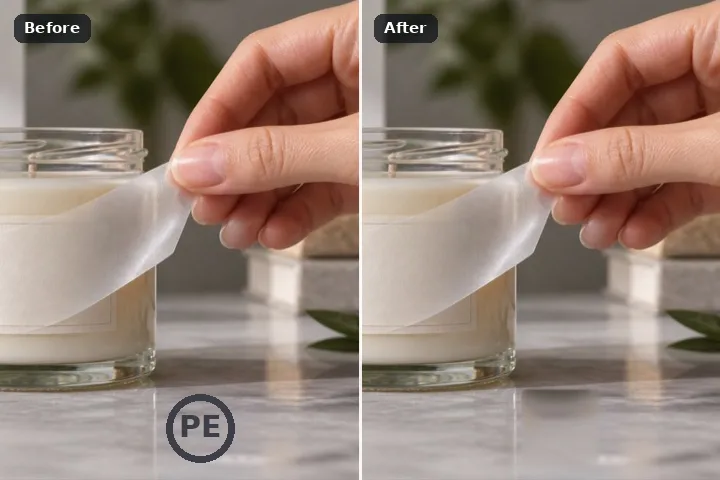
Draw a loose box around the logo, press Fit to mark and the box tightens to the mark inside it, then the patch search rebuilds the surface from the same photograph. For your own logo, a client's pre-delivery mark, or artwork you have the rights to change.
Why a logo gets its own tightening box
A logo is usually a compact mark sitting on a fairly even surface — a wall, a shirt, a product, a sky. The difficulty is not finding it, it is boxing it tightly: a loose box throws away good surrounding texture the fill needs, and a box drawn too tight leaves the anti-aliased rim of the mark behind as a ghost. Fit to mark reads the colour of the box's own border, finds everything inside that clearly differs from it, and shrinks the box to that with a two-pixel margin.
From there the patch search does what it does best on a compact hole: it looks for the squares elsewhere in the photograph that best match the surface around the mark and copies them in, so the wall stays wall and the fabric stays fabric. Nothing is downloaded and nothing leaves the device.
Removing a visible mark does not remove copyright, licence terms or attribution duties. This route is for a logo you own, a client mark before delivery, or artwork whose rights holder lets you change it. It is not for platform watermarks or anyone else's branding on their content.
Working it
- Draw a loose box. Around the whole logo, with a margin. Precision is not needed yet.
- Press Fit to mark. In the Rectangle panel. The box shrinks to the mark; if nothing stands out from the border, it is left as drawn and the page says so.
- Grow by two pixels. If the logo has a soft edge or a drop shadow, Grow 2 px catches its halo.
- Erase and compare. The patch search fills it. Drag the divider over the area and look for repeated texture.
- Re-roll if it repeats. Pick the row and re-roll for a new seed, or switch to the clone and place the pin yourself.
What this mode will not do
- A semi-transparent logo has tinted the picture under it rather than hiding it. A fill replaces that area; it does not un-blend the tint back out.
- On a surface with strong perspective lines — tiles, brickwork — the patch search can bend the lines. The clone from a well-placed pin, or the structure-aware model, does better.
- Fit to mark looks for contrast with the box's border. A logo the same colour as its surround will not be found; draw the box tight by hand.
- Nothing here can decide whether you are allowed to remove a mark.
Questions about this mode
Is my photo uploaded to remove the logo?
Which fill works best for a logo?
What does Fit to mark actually do?
Can I remove a logo from someone else's photo?
Will the logo leave a ghost?
Related ways in