Object remover in full resolution
Erase from big photos and keep every pixel. Your file comes back at full size.
No photo handy?
FreeNo sign-upPhotos stay on your device
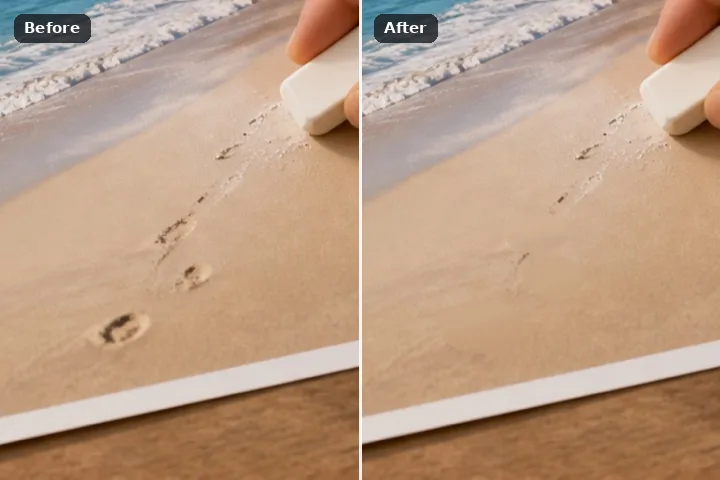
Every removal is computed on the picture at its own resolution. A region too large to fill in one pass is filled in overlapping 512-pixel tiles at native size instead of on a reduced copy, so every row in the removal record says matched — the stage shows exactly what the file will hold.
Why HD is its own mode
Painting happens on a working copy no longer than 1,600 pixels, because a brush has to keep up with a hand. Everywhere on this site a removal is then computed on the full-size picture and shown reduced — but on the other routes a region too large for the device's budget falls back to the working copy and is re-rendered at full size when you save, and its row says so. In HD mode that fallback is not taken: the large region is cut into overlapping tiles and every tile is filled at native size.
Each tile reads the tiles already finished as known picture, and where two tiles overlap the later one is blended in with a raised cosine across 64 pixels, so no tile edge shows. It costs time — a large region is several fills, not one — and memory: the full-size copy of a 24-megapixel photograph is about 92 MB, which is why the mode says what it is holding as soon as the picture opens, and why a picture beyond the device's budget is told so rather than silently reduced.
Working it
- Open the full-size original. Not a screenshot of it and not a messaging-app copy. The cost line states the megapixels and memory held.
- Paint at the stage size. You paint on the reduced stage; the region is lifted to full size precisely when you erase.
- Erase. Small regions are one full-size pass. Large ones show Tile N of M as they go.
- Check at 1:1. Press = for actual size and pan over the join. What you see is what is saved.
- Save. The file is written from the full-size copy as it stands — nothing is computed a second time.
What this mode will not do
- There is still a ceiling: the full-size copy must fit this device's memory budget (24 megapixels on most desktops, half that on devices that report 4 GB or less). Past it, the page says so and the usual re-render on save applies.
- Tiled patch search takes several times longer than a single pass on a large region.
- Higher resolution does not make a fill more truthful; it makes the same invention sharper.
- The clone fill is not tiled — it copies from a pin and is computed at full size whenever it fits.
Questions about this mode
Is the photo uploaded to process it in HD?
Is there a size limit?
Which engine is used in HD?
Why do some removals take much longer here?
Do I get the full resolution back?
Related ways in

Object Remover Hd